Oracle HTTP Server 12c (12.1.3) standalone installation Procedures on Linux
Assume oracle user has been added with group dba.
[oracle@ Danbrother ~]$ cat /etc/security/limits.confDanBrother 發表在 痞客邦 留言(0) 人氣(139)
# For existing ias components (10g)
cd /u01/oracle/product/10.2.0/ohs/opmn/bin
./opmnctl stopall && opmnctl startall
./opmnctl status -l
>>
Processes in Instance: standalone
-------------------+--------------------+---------+---------
ias-component | process-type | pid | status
-------------------+--------------------+---------+---------
HTTP_Server | HTTP_Server | 29294 | Alive
LogLoader | logloaderd | N/A | Down
dcm-daemon | dcm-daemon | N/A | Down
# For HTTP_Server process-type (10g)
/u01/oracle/product/10.2.0/ohs/opmn/bin/opmnctl restartproc process-type=HTTP_Server
------------------------------------------------------------------------------------------------------------------
# For existing ias components (11g)
cd /u01/Middleware/asinst_1/bin
./opmnctl stopall && opmnctl startall
# For OHS process-type (11g)
/u01/Middleware/asinst_1/bin/opmnctl restartproc process-type=OHS
DanBrother 發表在 痞客邦 留言(0) 人氣(25)
Issue:
[OHS] [INCIDENT_ERROR:32] [OHS-2171] [http_core.c] NZ Library Error: SSL negotiation error [Hint: too restrictive SSLCipherSuite]
Solution:
Keep the HTTP Listen Port enabled by configuring it to only work against a loopback IP address, which cannot be accessed outside the local machine.
1.Update $ORACLE_INSTANCE/config/OHS/ohs1/httpd.conf
# Add HTTP Listen Port (unused) on loopback address.
e.g.
Listen 127.0.0.1:9999
DanBrother 發表在 痞客邦 留言(0) 人氣(3,656)
DanBrother 發表在 痞客邦 留言(0) 人氣(104)
For the pure Oracle 11g HTTP Server Installation, it's possoble!
Here are the steps:
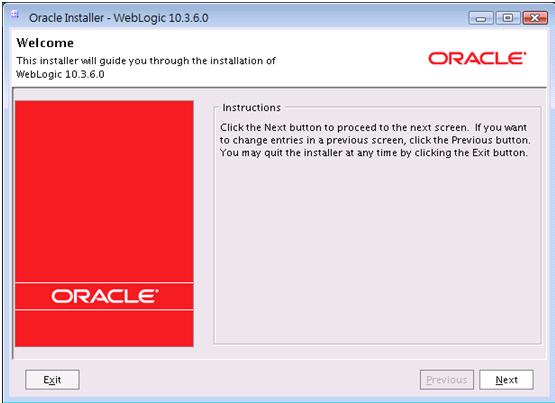
1. Download and Install Weblogic Server
a. run c:\download\wls1032_win32.exe
2. Download Portal, Forms, Reports and Discoverer (11.1.1.2.0) which constains HTTP
Server and Enterprise Manager Fusion Middleware Control that are required.
a. Copy Disk2, Disk3, and Disk4 Into the same folder of Disk1
b. run c:\download\ofm_pfrd_win_11.1.1.2.0_32_disk1_1of1\Disk1\install\win32
\setup.exe
c. Check All Installation options except Portal, Forms and Discoverer
d. Ignore the error of "Creating ASInstance" and Cancel the Installation directly.
3. Download Web-Tier Utilities:
a. run c:\download\ofm_webtier_win_1.1.2.0_32_disk1_1of1\Disk\install\win32
\setup.exe
b. weblogic port is 7001 by default
4. Go to http://127.0.0.1:7001/em to logon to Oracle Enterprise Manager 11g Fusion Middleware Control with the login account of "weblogic"
DanBrother 發表在 痞客邦 留言(0) 人氣(22)
1. Go to the Oracle Fusion Middle Home Directory with the subdirectory of "bin"
e.g. cd c:\oracle\Middleware\Oracle_WT1\bin
2. set ORACLE_HOME=c:\oracle\Middleware
DanBrother 發表在 痞客邦 留言(0) 人氣(71)
There is a trick that httpd port under 1024 need to run as root initially. (e.g. port=80)
Here's the configuration steps:
1. #switch to root user by:
su -
2. export ORACLE_HOME=/u01/oracle/product/10.2.0/ohs
cd $ORACLE_HOME/Apache/bin
3. # Change the .apachectl file owner to root
# (be careful for the "." which is a hidden file)
chown root .apachectl
4. chmod 6750 .apachectl
5. Verify the file permission:
ls -al .apachectl
-rwsr-s--- 1 root oinstall 18591 Dec 20 2004 .apachectl
6. Restart OHS:
su - oracle
cd /u01/oracle/product/10.2.0/ohs/opmn/bin
./opmnctl stopall
./opmnctl startall
DanBrother 發表在 痞客邦 留言(0) 人氣(15)
export ORACLE_HOME=/u01/oracle/product/10.2.0/ohs
export LD_LIBRARY_PATH=$ORACLE_HOME/lib
export PERL5LIB=$ORACLE_HOME/perl/lib/5.6.1
export PATH=$ORACLE_HOME/Apache/modplsql/conf:$ORACLE_HOME/perl/bin:$PATH
cd $ORACLE_HOME/Apache/modplsql/conf
perl dadTool.pl -o
cat dads.conf
>>
SetHandler pls_handler
Order deny,allow
Allow from all
AllowOverride None
PlsqlDatabaseUsername scott
PlsqlDatabasePassword @BeKLnrm2uGAwF4GU5kKIoAQ=
PlsqlDatabaseConnectString testdb
PlsqlAuthenticationMode Basic
PlsqlDefaultPage home
PlsqlDocumentTablename wwdoc_document
PlsqlDocumentPath docs
PlsqlDocumentProcedure wwdoc_process.process_download
PlsqlNlsLanguage "TRADITIONAL CHINESE_TAIWAN.ZHT16MSWIN950"
DanBrother 發表在 痞客邦 留言(0) 人氣(9)